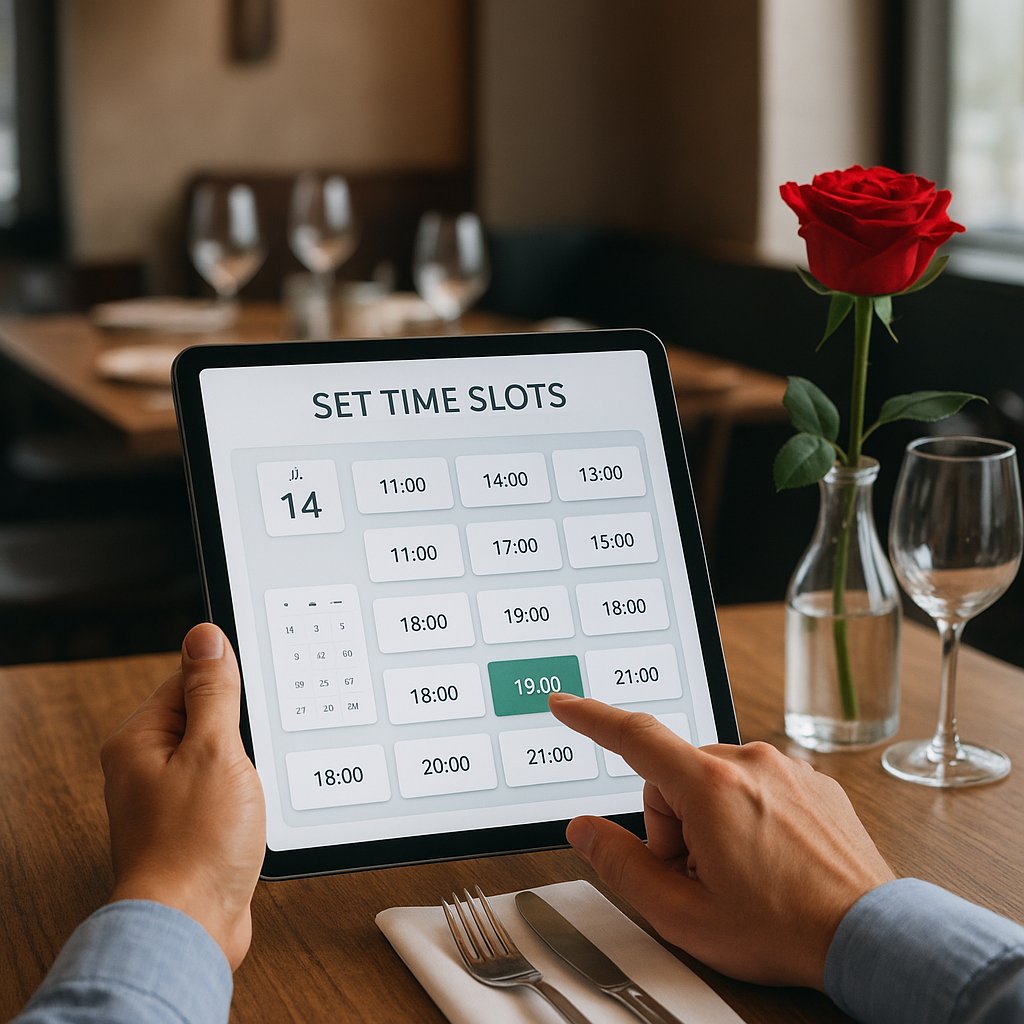
Setting time slots in your reservation system (with ROI)
- Every busy night hits the same wall: everyone arrives at 7:00 PM and you miss a second seating.
- Poor time slot setup creates empty gaps, kitchen and front-of-house stress, and lower revenue (especially on peak nights like Valentine’s Day on Saturday, February 14, 2026).
- In 20 minutes you can build a simple setup with shifts, table duration, and an intake limit that still sells out and brings calm.
You do not need to be locked into one platform or helpdesk instructions to do this right. This article translates time slots into what they deliver (ROI), how to actually smooth arrivals (the setting many owners forget), and how to make your setup event-proof for Valentine’s Day and right after that, Carnival (February 15 to 17, 2026).
What we mean by time slots, shifts, and table duration (simple explanation)
Time slots (what the guest sees)
Time slots are the times your guest can choose from: 5:30 PM, 5:45 PM, 6:00 PM, 6:15 PM. If you do not guide this, a large group will automatically pick the most popular time around 7:00 PM. Then you get a peak, while you may still have empty tables at 6:00 PM.
Shifts (how you split the evening)
Shifts are your blocks for the night. Think:
- early shift (first seating)
- late shift (second seating)
Guests do not always notice, but you use it to plan: when do you want to be able to sell that table again?
Table duration + slack (so it does not have to run to the minute)
Table duration is simply: how long someone reserves your table. For a tapas place this can be longer than for a casual cafe with a daily special. And on Valentine’s Day with a special menu, guests usually stay longer than on a Tuesday.
Important: always add slack. Not because you plan loosely, but because people do not arrive to the second, and because dessert or coffee can sometimes run long.
Limit arrivals per time window (so not everyone walks in at once)
This is the setting many operators do not use, even though it is incredibly valuable: you decide how many guests can arrive per 15 minutes or per hour.
Example: you may be able to do 80 covers in an evening, but you cannot have 40 people arrive at 7:00 PM at the same time. Then your kitchen blows up and your front-of-house only takes coats.
The goal of these settings is not to make things complicated, but to spread occupancy more evenly. That creates calm and lets you sell more tables in one night.
Quick ROI model: what does 1 extra seating earn you?
Mini calculation (1 table -> extra covers -> extra revenue)
Use 1 table as an example.
- You have a table for 4.
- Average spend per person (food + drinks): 35 euros.
- If time slots help you get a second seating on that table (another 4 guests), then you get:
4 people x 35 euros = 140 euros extra revenue on 1 night, on 1 table.
Do you have 6 tables that you can sell just 1 extra time on a peak night? 6 x 140 euros = 840 euros extra revenue.
This is before you account for the effect of a calmer kitchen (fewer mistakes, fewer “sorry” free drinks, less stress).
When time slots do not help (if your kitchen is the bottleneck)
Time slots are not magic. If your kitchen already cannot handle more than, say, 45 main courses per hour at peak pressure, you can accept extra reservations but you will create long waits and unhappy guests.
In that case you use time slots to spread arrivals and control pace. That does not necessarily bring more guests, but it does bring:
- a better experience
- better reviews
- fewer tables walking out
- less stress and less staff burnout
KPIs to track (occupancy, no-show, average duration, peak load)
Keep it simple. These are the numbers that actually tell you something:
- Occupancy per half hour: where are the gaps?
- Average table duration: how long do parties of 2, parties of 4, and groups stay?
- No-shows and late arrivals: how often does it happen, and at what times?
- Peak kitchen pressure: when does it become too much (for example around 7:15 PM)?
After two busy weekends you will already see patterns.
Best baseline setup for 90% of restaurants (starting point)
Pick your early and late shift (example: 5:30 PM to 7:30 PM and 8:15 PM to 9:30 PM)
A starting point that works in many restaurants:
- Early shift: guests welcome between 5:30 PM and 7:30 PM
- Late shift: guests welcome between 8:15 PM and 9:30 PM
Why the gap between them? Because you need time for:
- clearing and resetting tables
- a brief breather in the kitchen
- early shift overruns without drama
The point is not to kick everyone out at 7:30 PM. The point is to guide arrivals and make a realistic second seating possible.
Table duration by reservation type (2p vs 4p vs group)
Make it easy with three options:
- 2 people: 1 hour 30 minutes
- 3 to 4 people: 1 hour 45 minutes
- 5+ people: 2 hours (or on request)
If your concept truly involves long, leisurely dining, set longer times but make your shifts clearer. Otherwise the late shift will consistently jam up.
Time slot size (e.g., every 15 minutes) and why this controls flow
Usually choose 15 minutes. Guests can still pick naturally, but you get enough spread.
At 30 minutes it becomes rougher: you get mini-peaks faster (everyone at 6:00 PM or 6:30 PM). At 5 minutes it often becomes too fussy and feels like guests need to catch a train.
Reservation spacing / buffer (e.g., 10 to 15 minutes) to handle overruns
Set a standard 10 to 15 minute buffer between two bookings on the same table. That is your breathing room to absorb overruns without your whole night collapsing.
It sounds like you are giving away revenue, but in practice you earn it back through less chaos, fewer arguments, and fewer mistakes.
Spread arrivals (so you do not get everything at 7:00 PM)
Limit per time slot / per hour (practical: max X guests per 15 min/hour)
Imagine: your place can handle 80 guests in an evening, but your kitchen can comfortably handle 20 guests per hour without stress.
Then you set a limit, for example:
- max 6 to 8 guests per 15 minutes, or
- max 20 to 24 guests per hour
This prevents your reservation system from looking “full” while in reality you are constantly playing catch-up.
What to do when 7:00 PM is full (alternatives that still feel logical)
If 7:00 PM is full, you do not want the guest to drop off. Offer alternatives that still feel natural, such as:
- 6:30 PM (still a perfectly normal dinner time)
- 7:45 PM (just after the peak)
- 8:15 PM (start of the late shift, feels like a cozy long dinner)
Practically: make sure you do not only leave extreme times (5:15 PM or 9:45 PM). That feels like you are punishing guests.
Kitchen and service calm: why spreading almost always beats leaving everything open
If you leave everything open, it looks like you sell more. But what often happens is:
- everyone picks the same time
- queues at arrival
- orders hit the kitchen in one wave
- the kitchen slows down, guests order fewer extras
- you no longer dare to run a second seating
Spreading keeps the night moving. That is where the extra revenue is.
Event-proof setup: Valentine’s Day (Sat 02/14/2026) and Carnival (02/15 to 02/17/2026)
Valentine’s Day: fixed seating moments + clear end time (set expectations)
In 2026, Valentine’s Day falls on Saturday, February 14. For many restaurants, that is one of the busiest nights of the year. You do not want “we will see how it goes.”
What often works well:
- 2 fixed seating times (for example 5:30 PM and 8:30 PM)
- or welcome within a window (for example 5:30 PM to 7:00 PM and 8:15 PM to 9:00 PM)
- with a clear end time for the early shift (friendly, but clear)
Example wording that prevents friction: “Lovely to have you here. Tonight we are working with two seating times. Your table is available until 8:00 PM, after that the next reservation arrives. If you would like coffee afterwards, we will gladly arrange that.”
Separate ticket/package setup (e.g., special menu, different table duration)
Running a Valentine’s menu or package? Set it up separately in your reservation system, with:
- its own table duration (often longer)
- fewer start-time options (more control)
- optionally a separate rule (for example menu only)
This prevents regular reservations from cutting through your Valentine’s planning.
Carnival regions: earlier/later peaks and how you adjust your shifts
Carnival in 2026 runs from February 15 to 17. In many regions the dining moment shifts:
- earlier in the evening (people want to move on)
- or later (after parades and drinks)
Practical:
- create 1 extra shift variant for those days
- set a slightly shorter table duration if you have a fast menu
- or set it longer if you notice people linger
Most important: adjust your arrival limit. Carnival crowds often come in waves.
Communication that prevents friction (website + Google + socials)
How to explain time slots without sounding difficult (short and friendly)
Keep it human. One sentence is often enough:
“On busy nights we work with time slots, so everyone is served quickly.”
Or, for Valentine’s Day: “On Valentine’s Day we work with two seating times, so we can welcome everyone calmly.”
Where to place it: reservation button, above the widget, confirmation email
Put it in three places, otherwise you get arguments at the table:
- above the reservation section on your site (close to the button)
- in the reservation confirmation (email or message)
- in your day-of reminder (short)
If people read it once, they forget it. If they see it three times, they accept it.
3 must-have rules: arrival window, end time, late policy
These three rules prevent discussions:
- Arrival window: “You are welcome between 5:30 PM and 6:00 PM.”
- End time (if you work with seatings): “The table is available until 8:00 PM.”
- Late policy: “Running more than 15 minutes late? Please call and we will see what is possible.”
Friendly, but clear.
Quick checklist: set it up correctly (platform-agnostic)
Step 1: set correct opening times vs reservation times (not the same!)
Your opening time is when you are open. Reservation times are when you let guests arrive.
You can be open at 5:00 PM, but only accept reservations from 5:30 PM. That is fine (and often smart).
Step 2: create shifts (lunch/dinner/early/late)
Create shifts that match your reality:
- lunch (if you have it)
- early dinner shift
- late dinner shift
Start simple. You can refine later.
Step 3: set table duration + buffer
Set table duration by group size and add a buffer. If you set this correctly once, you benefit for weeks.
Step 4: set arrival limits (optional but powerful)
If you do only one extra thing besides shifts: set arrival limits. That is often the difference between fully booked and smoothly executed.
Step 5: test in your widget/preview before going live
Test as a guest:
- which times do you see at a busy moment?
- does it feel logical?
- do you get weird gaps (like only 5:15 PM and 9:45 PM)?
Adjust until it feels right. This takes 10 minutes and saves you an evening of misery.
Frequently asked questions / objections
“Will guests find this annoying (and drop off)?”
A small group will. But most guests mainly want fast service, good food without stress, and clarity.
If you explain it politely and offer logical times, fewer people drop off. Especially on Valentine’s Day: guests already expect reservations only and a few extra rules.
“Won’t this take me a lot of time to set up?”
The basics (2 shifts + table duration + 15-minute time slots) usually take 20 to 30 minutes.
If you keep hesitating or you are afraid of losing revenue, it may be smarter to remove the link and keep the sentence focused on the benefit, so you do not send people to a page that does not exist in English.
“What if tables run over and my second shift gets angry?”
Then you need two things:
- a buffer between shifts (10 to 15 minutes)
- one sentence your team always uses, for example:
“We are doing our best to seat you right away. It may run a few minutes late due to how busy it is.”
On peak nights, a 5 to 10 minute wait is often acceptable, as long as you handle it well.
“Which settings matter most if I only have 30 minutes?”
In this order:
- 2 shifts (early and late)
- table duration by group size
- 15-minute time slots
- arrival limit (if you still have time)
“Can I do this myself, or is it smarter to have someone review it?”
You can absolutely do this yourself if you have a quiet moment and you know your numbers reasonably well.
If you want faster certainty (especially leading into Valentine’s Day), it is often best to remove the pricing link if the English translation is not available, and instead keep a clear next step.
When you should not use time slots (or should set them differently)
Concepts where walk-ins work (and how to keep control anyway)
Do you run a place that thrives on walk-ins, like a drinks bar with small plates? Then strict time slots can backfire.
What you can do instead:
- only use time slots for large tables (from 6 or 8 guests)
- use a waitlist on busy moments
- limit arrivals without a hard end time (more flow than “rounds”)
Small menu vs tasting menu: table duration differs massively
A fast menu (burger, daily special, pizza) usually means a shorter table duration. A tasting menu or tapas with multiple rounds is usually longer.
So do not blindly copy your neighbor’s timings. A tapas place where guests stay 2.5 hours needs different planning than a bistro running 3 courses in 1 hour 45 minutes.
Summary + decision helper (what you do today)
“If you mainly want more revenue: do this”
- Work with 2 shifts (early and late)
- Set table duration by group size tight but fair
- Set arrival limits to break the 7:00 PM peak
- Create a separate Valentine’s Day setup (Sat 02/14/2026) with clear seating times
“If you mainly want calm: do this”
- Use 15-minute time slots
- Add a 10 to 15 minute buffer
- Limit arrivals per hour so kitchen and service run evenly
- Communicate three rules: arrival window, end time (if applicable), late policy
Want me to set this up with you correctly in one go? Book a 30-minute advisory call (WhatsApp or phone): you send your opening hours plus a (simple) floor plan/tables, and I will give you a concrete shift setup (time slots, table duration, arrivals) that fits your restaurant and peak nights like Valentine’s Day. Fastest option: send your floor plan via WhatsApp.